Instalacija
OpenCV biblioteka je podržana na gotovo svim platformama (Linux, MacOS, Windows) i moguće ju je koristiti na svakoj od njih. Instalacija je prilično jednostavna i jako dobro dokumentirana. Instalacija za linux platformu Instalacija za Windows platformu Instalacija za iOs Nakon instalacije, možemo započeti s korištenjem biblioteke. Slijedi par jednostavnih primjera korištenja (preuzetih sa službenih stranica).
Primjer 1
Prikaz slike
            import numpy as np
            import cv2

            # Load a color image in grayscale
            # @args1 - image path
            # @args2 - flag (way image should be read)
            #    -  1 -> normal, coloured, no transparency
            #    -  0 -> grayscale
            #    - -1 -> normal, coloured + transparency
            img = cv2.imread('sheep.png',1)

            while(True):
              # show the image
              cv2.imshow('image',img)
              # wait for the keypress (0 -> indefinitely)
              key = cv2.waitKey(0)
              # of key is ESC, break
              if key == 27:
                break
            # destroy all windows (cleanup)
            cv2.destroyAllWindows()
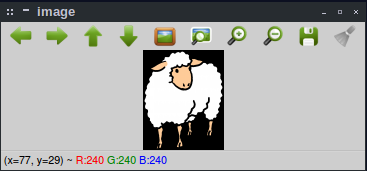
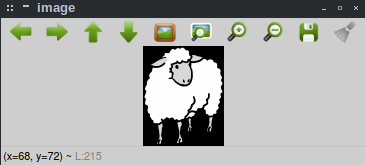
Promjenom argumenta prilikom otvaranja slike s 1 na 0
img = cv2.imread('sheep.png',0)
Primjer 2
Prikaz videa s kamere
            import numpy as np
            import cv2

            # set the source of the video
            # arg1 -> cameraId
            cap = cv2.VideoCapture(0)

            while(True):
                # Capture frame-by-frame
                ret, frame = cap.read()

                # Our operations on the frame come here
                # arg1 -> frame to change
                # arg2 -> id of the effect
                #     -> 0 = no effect
                #     -> cv2.COLOR_BGR2GRAY = grayscale image
                res = cv2.cvtColor(frame, 0)

                # Display the resulting frame
                # arg1 -> window name
                # arg2 -> frame to show
                cv2.imshow('frame', res)
                # if key is ESC exit loop
                if cv2.waitKey(1) == 27:
                    break

            # When everything done, release the capture
            cap.release()
            cv2.destroyAllWindows()
Promjenom argumenta prilikom obrade pojedinog frame-a možemo stvoriti crno bijeli efekat nad kamerom.
res = cv2.cvtColor(frame, cv2.COLOR_BGR2GRAY)